
Prompts AI Lab Standalone
Alle AI Lab Abos ermöglichen dir gleichzeitig die Nutzung der Standalone Version und des Photoshop UXP Plugins.
Hier kannst du fertige Prompts für AI Lab Standalone herunterladen. Lade die gewünschten Dateien einfach herunter und ziehe sie in den Prompt-Library-Ordner von AI Lab Standalone. Nach einem Neustart des Programms stehen die Prompts sofort zur Auswahl zur Verfügung und können direkt verwendet werden.
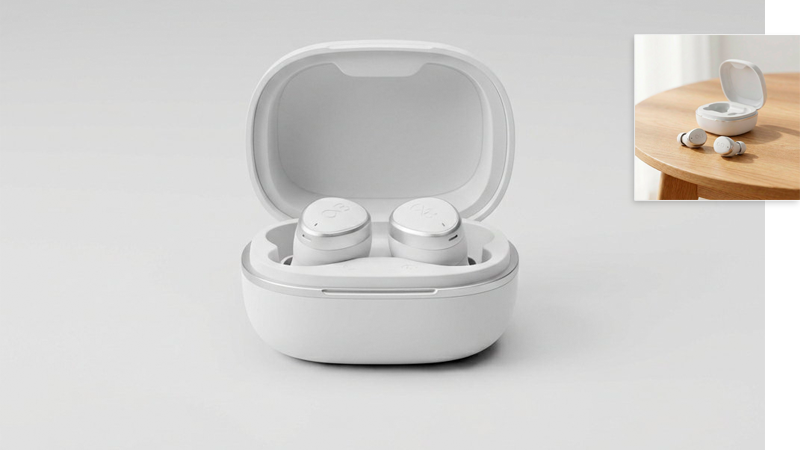
Sauber inszeniertes Produktfoto
Platziere jedes fotografierte Produkt in einem neutralen Studio-Set-up mit gleichmäßigem Hintergrund. Das funktioniert sogar, wenn das Objekt nicht optimal in einer neutralen Umgebung aufgenommen wurde.
 Download
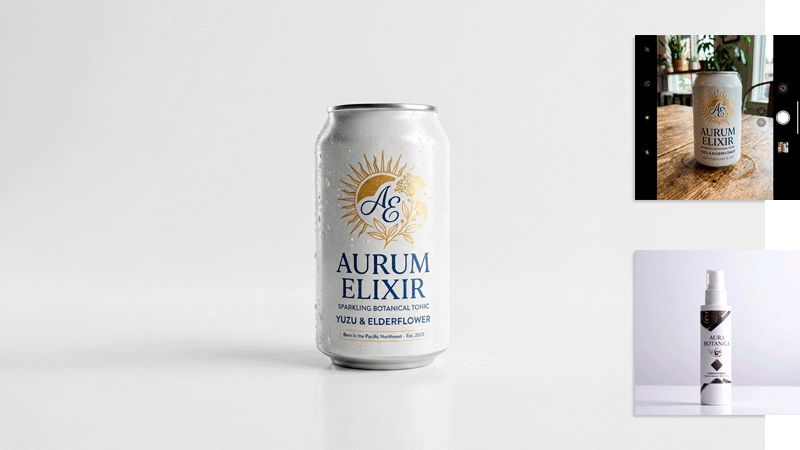
Sauber inszeniertes Produktfoto mit Referenz
Bei diesem Preset legst du die Inszenierung deines Produkts über ein Referenzbild fest. Setze dein Produkt als das erste Referenzbild ein, deine Zielvorstellung der Szene als das zweite. Der Prompt bewahrt die Originaldetails des Produkts und optimiert dein gewähltes Referenzbild.
Download
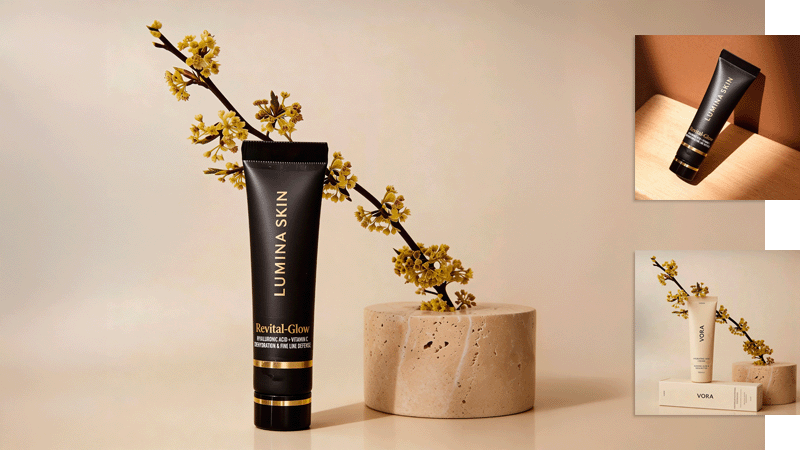
Produkt im Lebensstil-Kontext
Mit diesem Prompt verleihst du selbst einem mit dem Smartphone fotografierten Produkt eine hochwertige Werbe-Ästhetik. Ziehe dein Produktfoto auf „Reference 1“, deine Zielvorstellung auf „Reference 2“ und passe gegebenenfalls den Prompt an.
Download
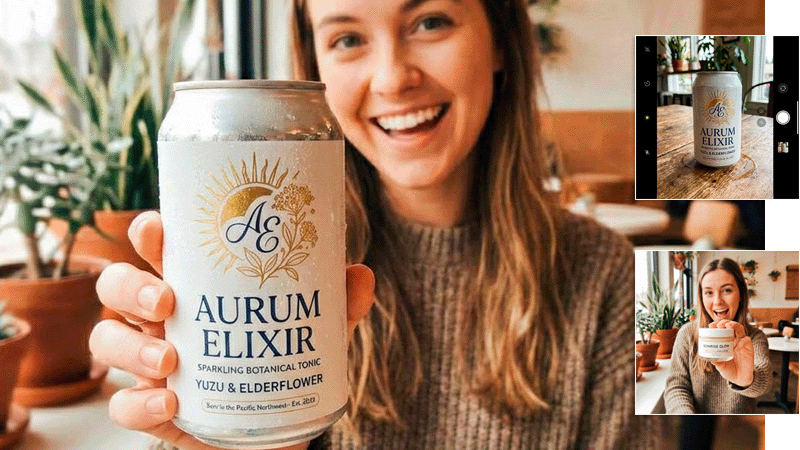
Influencer & Produkt
Ziehe dein Produktfoto auf Referenz 1 und ein anderes Foto, auf dem ein Influencer dein Produkt wie gewünscht präsentiert, auf Referenz 2, um ein (oft, aber nicht immer) perfektes Ergebnis für die Präsentation deines Produkts zu erhalten.
Download
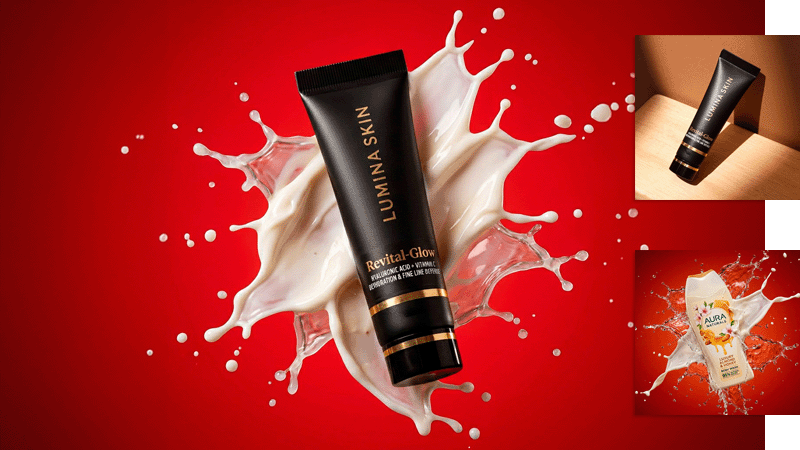
Dynamische Produktpräsentation
Mit diesem Preset versetzt du dein professionell oder mit dem Smartphone fotografiertes Produkt in eine dynamische Studioszene mit fliegenden Flüssigkeiten.
Download
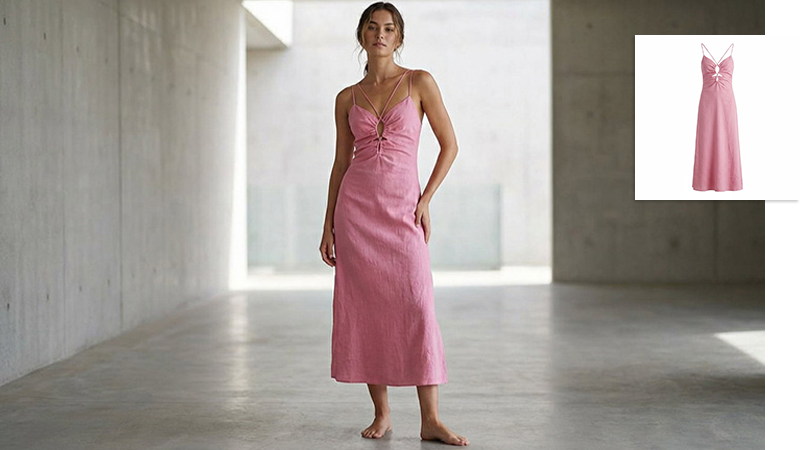
Fashion Architektur Hintergrund
Dieser Prompt setzt einen vorhandenen Fashion Freisteller unverändert auf ein weibliches Fashionmodel und integriert es in eine minimalistische, architektonische Umgebung. Durch kontrolliertes Tageslicht, realistische Schatten, korrekte Perspektive und saubere Lichtanpassung entsteht ein hochwertiges, editoriales Fashionbild mit natürlicher Wirkung – ideal für Kampagnen, Lookbooks oder hochwertige Präsentationen.
Download
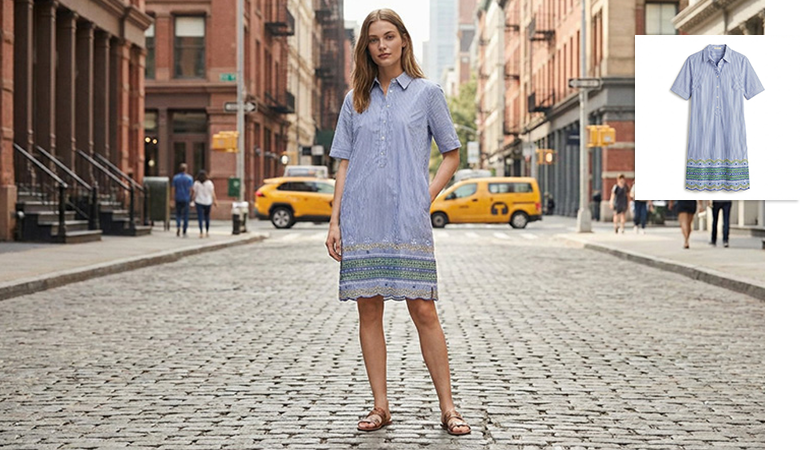
Fashion Manhattan Szene
Mit diesem Prompt wird ein bestehender Fashion Freisteller originalgetreu auf ein weibliches Fashionmodel übertragen und in eine authentische Straßenszene in Manhattan eingebettet. Durch natürliches Tageslicht, realistische Bodenschatten, korrekte Perspektive und fein abgestimmte Farb- und Lichtanpassung entsteht ein glaubwürdiges, editoriales Fashionbild für Kampagnen und Lookbooks.
Download
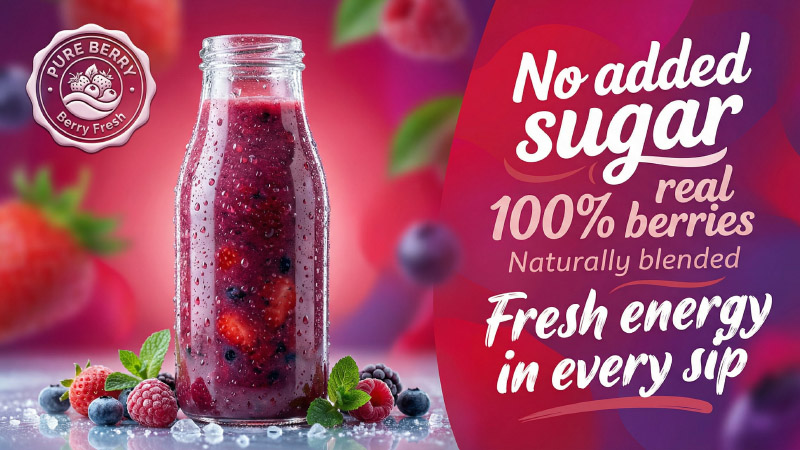
Smoothie Werbeplakat
Dieser Prompt erzeugt aufmerksamkeitsstarke Werbemotive für Smoothies und Getränke im Social-Media-Stil. Produkt, Farbe, Typografie und Logo werden zu einem dynamischen Ad-Visual kombiniert, das nach echter Kampagnen-Art-Direction aussieht. Ideal für Instagram, Performance Ads und Markenvisuals, bei denen Bildwirkung, Hierarchie und Markenanmutung im Vordergrund stehen. Optimiert für schnelle Iterationen und starke visuelle Präsenz.
Download
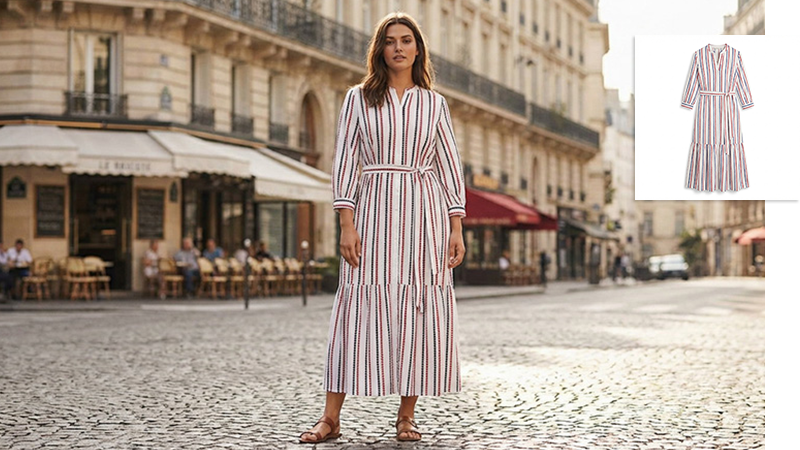
Fashion Paris Szene
Dieser Prompt platziert ein vorhandenes Kleidungsstück unverändert auf ein weibliches Fashionmodel und integriert es realistisch in eine Pariser Straßenszene. Natürliches Tageslicht, stimmige Perspektive und fein abgestimmte Licht- und Farbwerte sorgen für glaubwürdige Schatten, harmonische Übergänge und ein hochwertiges, editoriales Fashionbild auf Kampagnenniveau.
Download
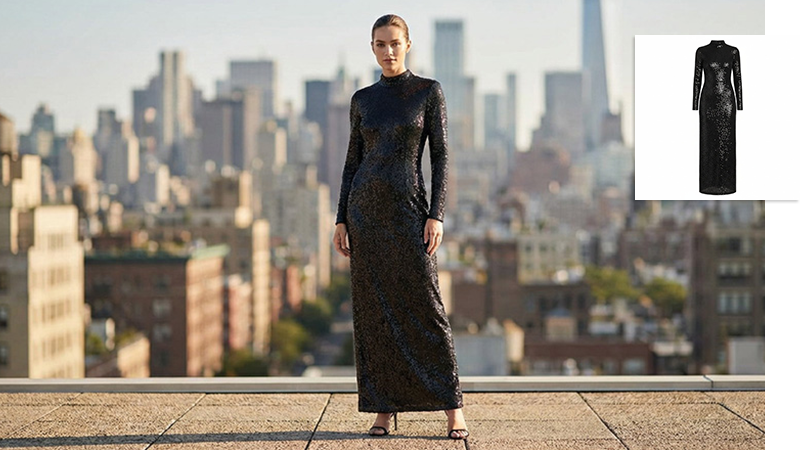
Fashion Rooftop Szene
Mit diesem Prompt wird ein Kleidungsstück aus einem Referenzbild originalgetreu auf ein weibliches Model übertragen und in eine urbane Rooftop-Szenerie eingebettet. Die Kombination aus natürlichem Tageslicht, kontrollierter Tiefenunschärfe und präziser Perspektive erzeugt ein modernes Fashionmotiv mit klarer Silhouette, realistischer Lichtwirkung und hochwertigem Editorial-Charakter für Kampagnen.
Download
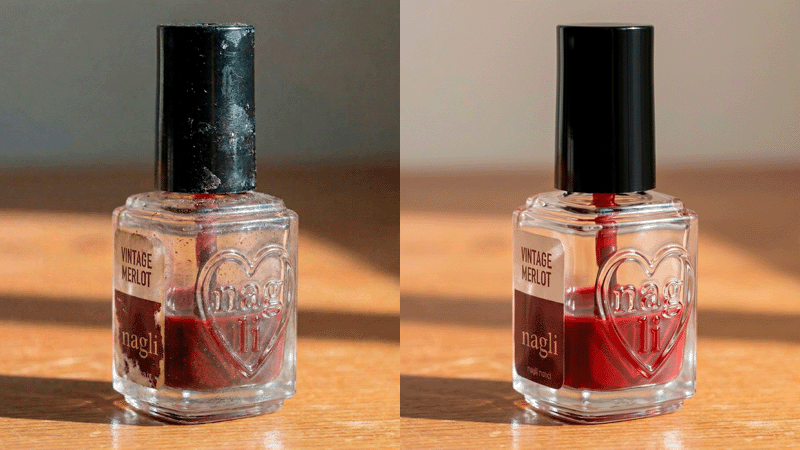
Oberflächenbereinigung
Mit diesem Prompt reinigt die KI dein Produkt von Staub, Fusseln und Fingerabdrücken und bewahrt dabei die Originaldetails. Es ist aber vielleicht eine gute Idee, ein nicht ganz so verschmutztes Ausgangsfoto wie im Beispiel zu verwenden.
Download
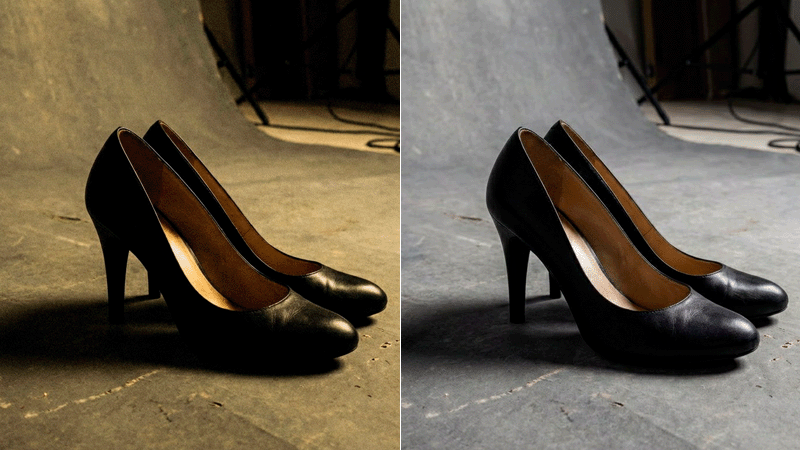
Allgemeine Foto-Optimierung
Dieser Prompt verbessert suboptimal aufgenommene Fotos, indem er die Belichtung optimiert, Rauschen entfernt und Farbstiche kompensiert.
Download
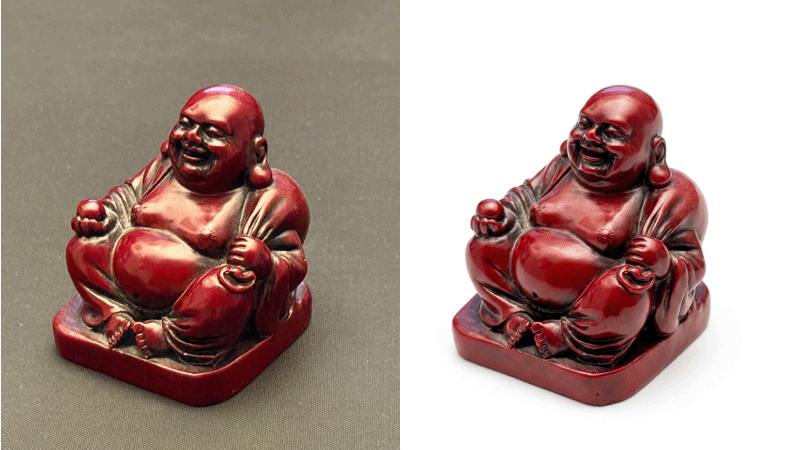
Produktfertige Präsentation
Wenn du dein Produkt aus dem gleichen Winkel wie auf deinem Foto präsentieren möchtest – jedoch vor einem gleichförmigen weißen Hintergrund – wende diesen Prompt an.
Download
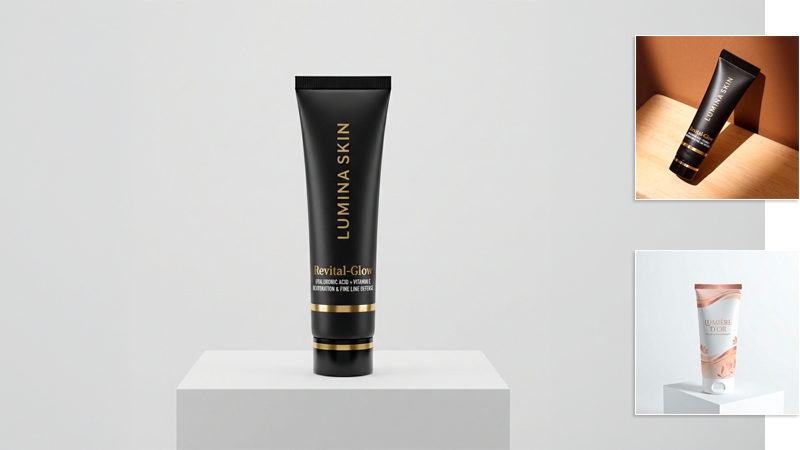
Studio-Platzierung wie Referenzbild
Dieser Prompt platziert dein Produkt in einer Studioszene, deren Aussehen du anhand eines Referenzbildes festlegen kannst.
Download
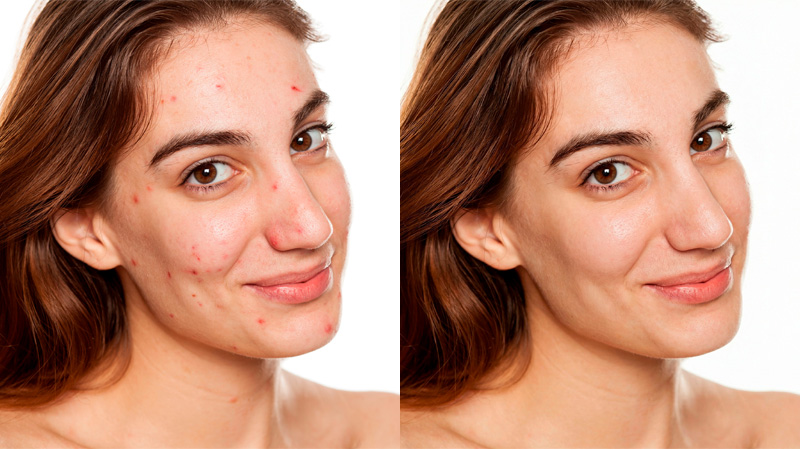
Basis-Hautretusche
Mit diesem Prompt lässt du die KI ausschließlich Pickel, Hautrötungen und andere Hautstörungen retuschieren, während alle sonstigen Elemente des Fotos und der abgebildeten Person nicht verändert werden.
Download
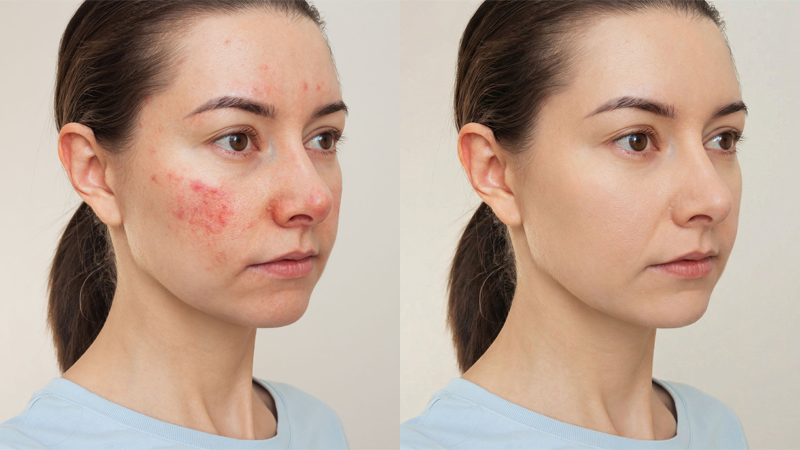
Natürliche Hautretusche
Dieser Prompt sorgt für ein makelloses Hautbild, indem er Hautstörungen entfernt und die Haut leicht glättet. Er erzeugt den sogenannten Nude-Look, ein natürlich wirkendes Make-up, das kaum wahrnehmbar ist.
Download
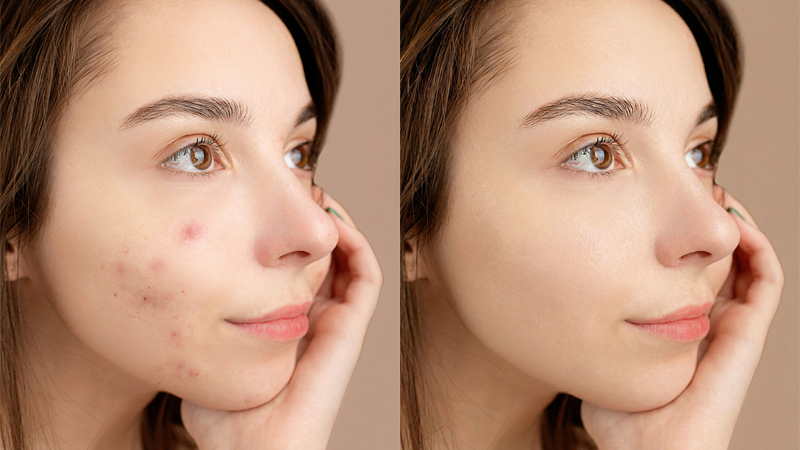
Professionelle Beautyretusche
Dieser Prompt verwandelt das AI Lab in einen professionellen Retuscheur, der dein Porträtfoto auf Hochglanz poliert und es tauglich für ein Magazin-Cover macht. Die Haut wird dabei deutlich vereinheitlicht, ohne jedoch ihren natürlichen Charakter zu verlieren.
Download
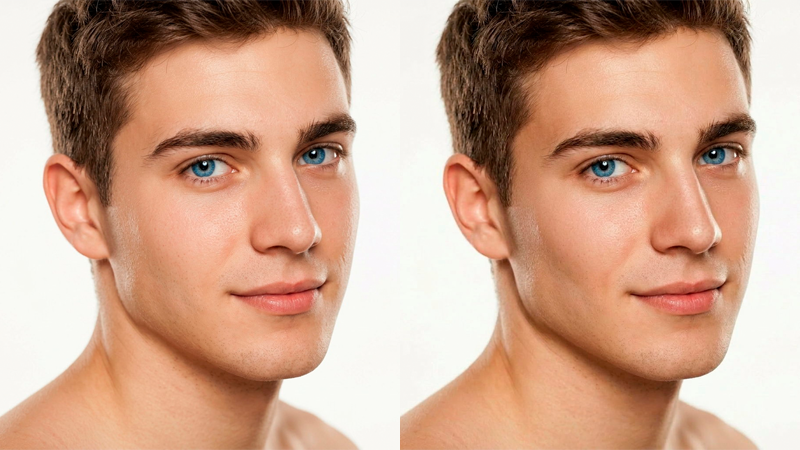
Contouring Make-up
Contouring ist eine Schminktechnik, bei der durch das Auftragen dunklerer und hellerer Töne Schatten und Licht erzeugt werden, um die Gesichtszüge zu modellieren, zu definieren und zu formen. Dieser Prompt übernimmt diese in der Bildbearbeitung auch als Dodge-and-Burn bekannte Aufgabe für dich.
Download
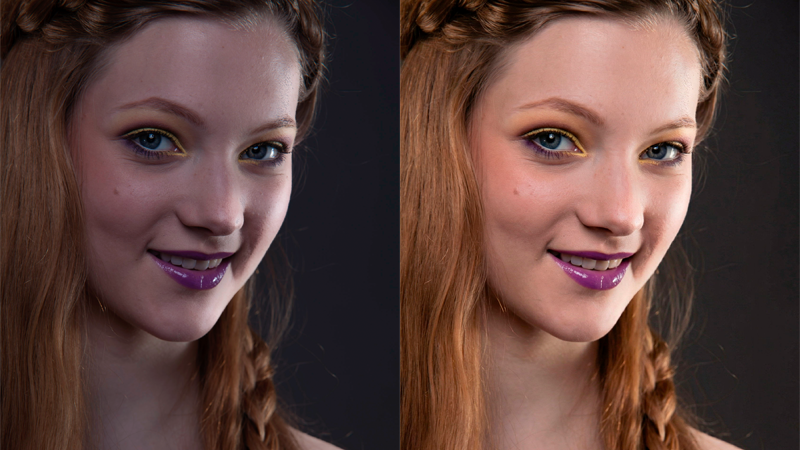
Korrektur der Gesichtsbeleuchtung
Dieser Prompt korrigiert Porträtaufnahmen, die unter unprofessionellen Lichtverhältnissen oder in komplexen Mischlichtsituationen entstanden sind. Er mildert hartes Licht und behebt Farbstiche.
Download
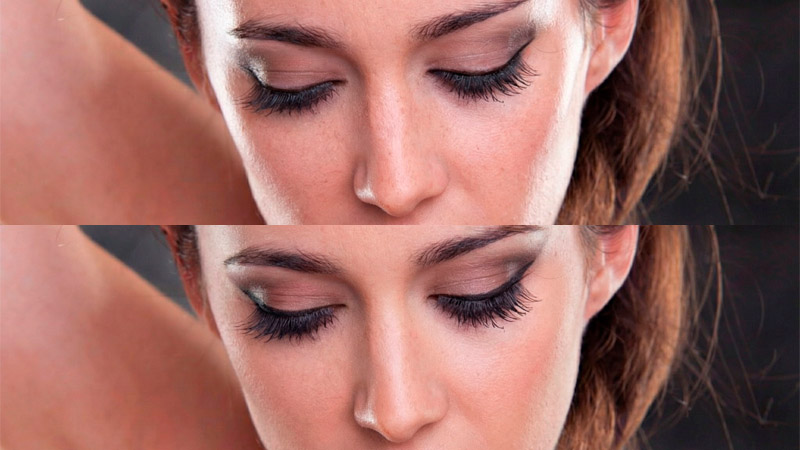
Make-up-Verfeinerung
Dieser Prompt verfeinert ein vorhandenes Make-up, ohne es komplett zu verändern. Er sorgt für eine gleichmäßige Grundierung, definiert die Linien sowie Konturen und korrigiert Asymmetrien.
Download
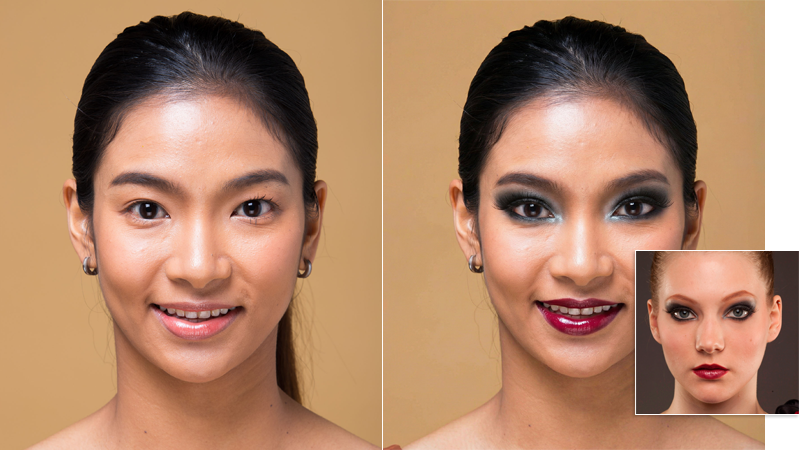
Make-up-Übertragung von Referenzbild
Mit diesem Prompt kannst du das Make-up von einem Referenzbild auf andere Porträts übertragen. Ziehe einfach ein anderes Foto auf das angezeigte Referenzbild, um es auszutauschen.
Download
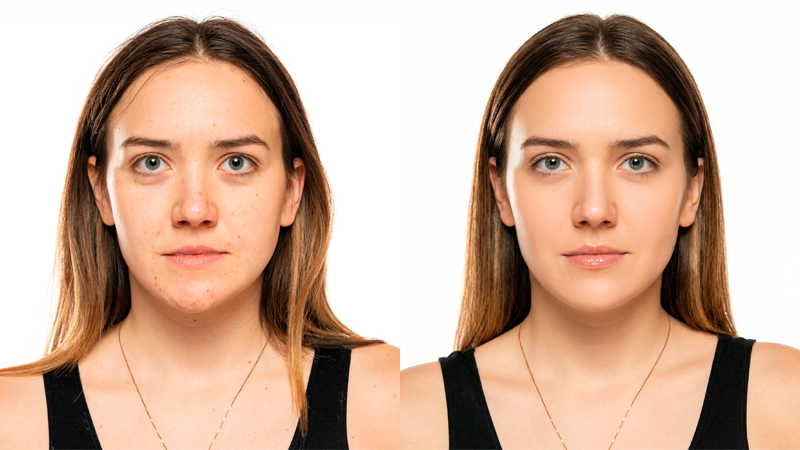
Ein-Klick-Glamour-Porträt
Dieser Prompt verwandelt jedes Porträtfoto in ein Glamourbild. Dabei wird nicht nur die Haut geglättet, sondern auch die Frisur optimiert und die Gesichtszüge verfeinert. Dies kann zu einer leichten Veränderung der Person führen, daher Vorsicht, falls das nicht gewünscht ist.
Download
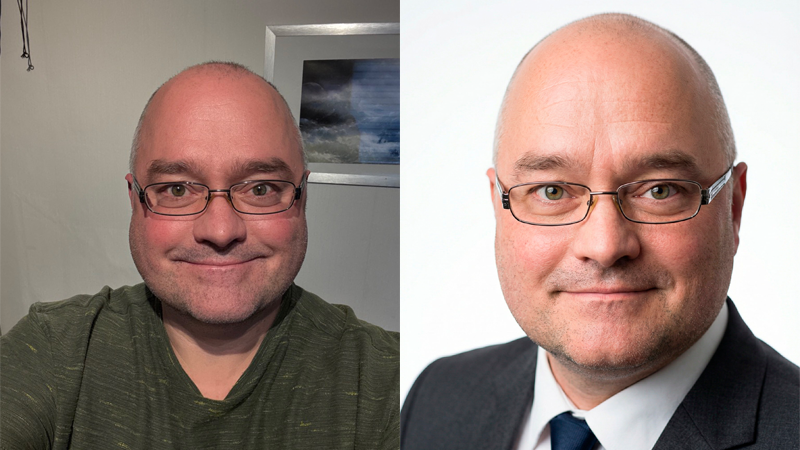
Business-Porträt
Mit diesem Prompt kannst du ein professionelles Porträt aus einem Foto erstellen. Er verwandelt die Kleidung in elegante Outfits oder den üblichen Anzug und platziert die Person in einem hellen Fotostudio. Der Prompt eignet sich sowohl für Männer als auch Frauen.
Download
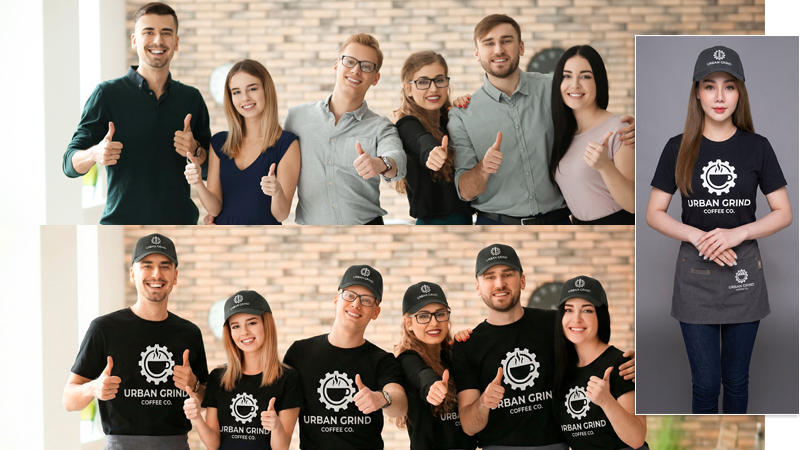
Business-Team-Konsistenz
Dieser Prompt harmonisiert nicht nur die Farben im Bild, sondern kann über ein Referenzbild auch die Kleidung einer Personengruppe austauschen und so vereinheitlichen, um beispielsweise die typische Arbeitsbekleidung Ihrer Marke zu präsentieren.
Download
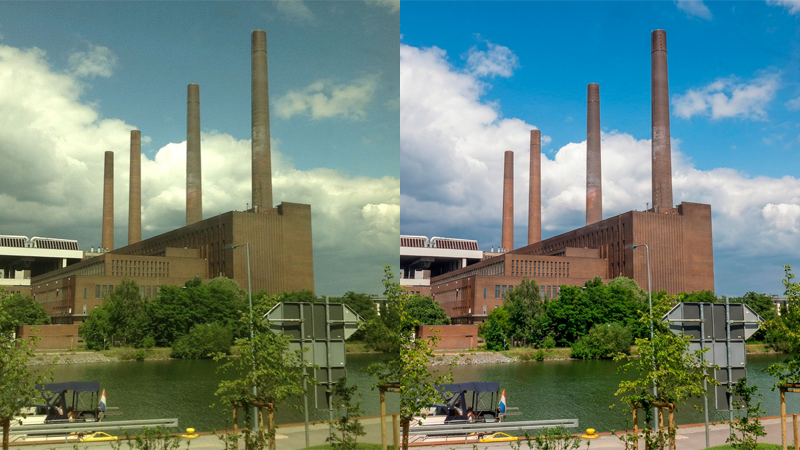
Farb-, Kontrast- und Detailverbesserung
Dieser Prompt verbessert Farbe, Kontrast und Schärfe deines Fotos, ohne Details zu verlieren. Gesichter bleiben unverändert. Weißabgleich, Tonwertkorrektur und Detailverbesserung sorgen für ein professionelles Ergebnis, das leichte Unschärfen und Verwacklungen ausgleicht.
Download
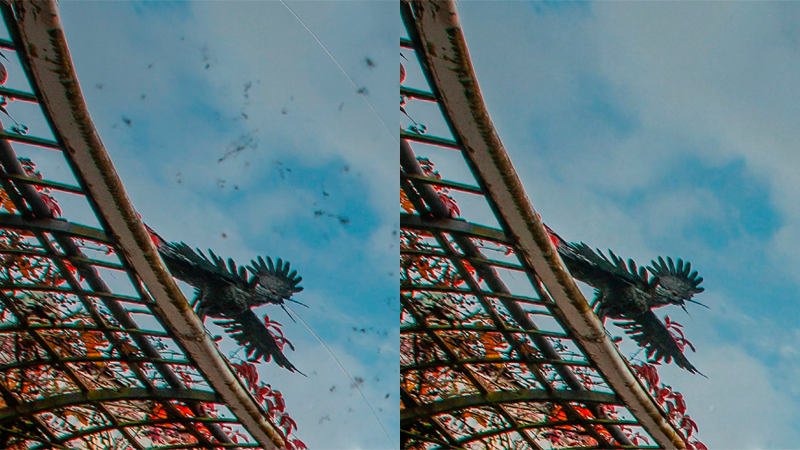
Artefakt-Entfernung
Dieser Prompt hilft dir dabei, auffällige Bildfehler wie Staubflecken, Moiré, Überstrahlungen und Bildrauschen zu entfernen oder zu reduzieren. Beachte jedoch, dass das Ergebnis stark vom gewählten KI-Modell abhängt. Flux.2 oder Nano Banana Pro sind hier empfehlenswert.
Download
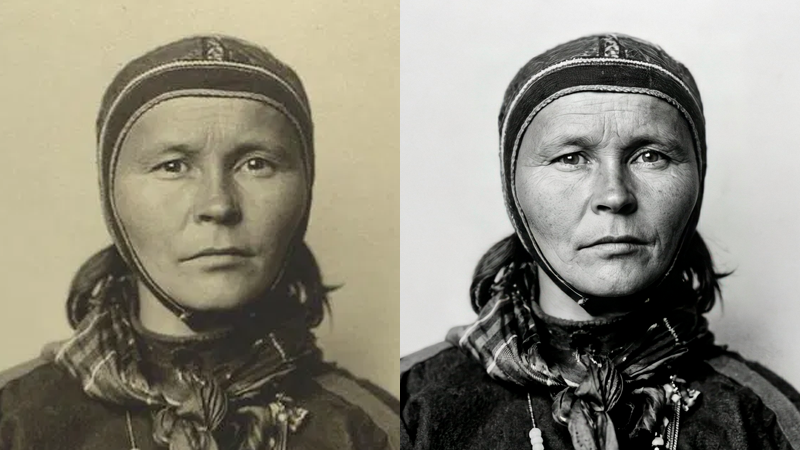
Foto-Restaurierung
Dieser Prompt ermöglicht die Restaurierung alter Fotos. Bildartefakte, altersbedingte Störungen und Unschärfen werden reduziert. Gesichter werden rekonstruiert und Details verbessert, wobei die KI versucht, die originalen Details so genau wie möglich nachzuempfinden.
Download
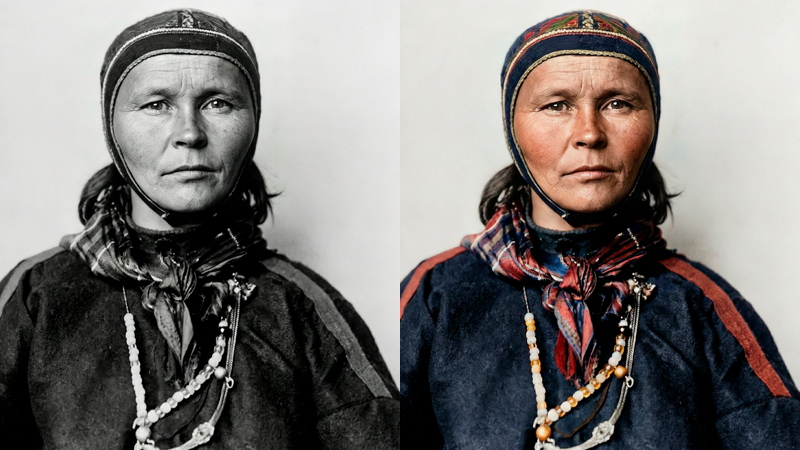
Foto kolorieren
Dieser Prompt ermöglicht es dir, Schwarzweiß-Fotos zu kolorieren. Für historische Fotos empfiehlt es sich, vor der Anwendung dieses Prompts den Foto-Restaurierungs-Prompt zu verwenden, um eine kontrastreiche und detailreiche Basis ohne Farbstiche zu erhalten.
Download
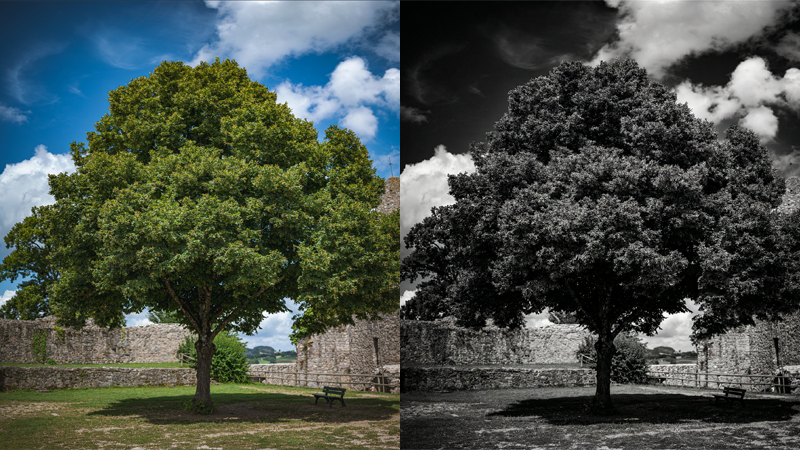
Dramatische Schwarzweiß-Umwandlung
Dieser Prompt verwandelt Farbfotos in dramatische Schwarzweißbilder mit hohem Kontrast, ausgeprägten Mikrokontrasten und detailreichen Mitteltönen. Das stark abgedunkelte Himmelsblau macht dieses Preset besonders geeignet für Landschafts- und Architekturaufnahmen.
Download
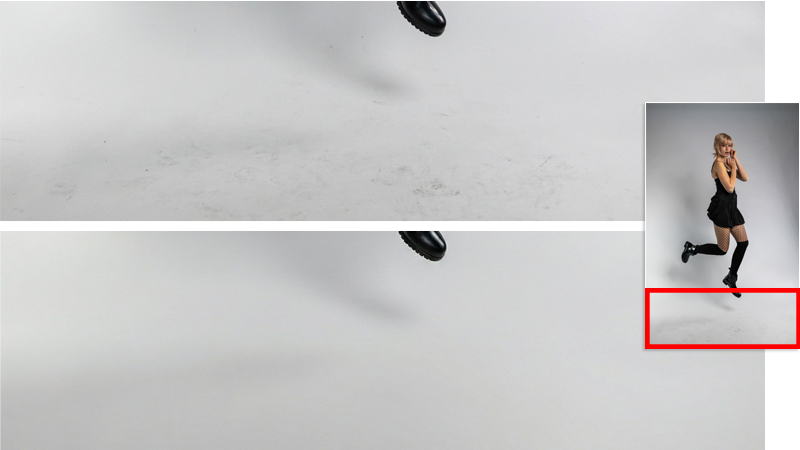
Studiohintergrund säubern
Dieser Prompt sorgt für einen sauberen und gleichmäßigen Studiohintergrund, indem er Verschmutzungen und Unregelmäßigkeiten entfernt, ohne die Schattendetails zu beeinträchtigen.
Download
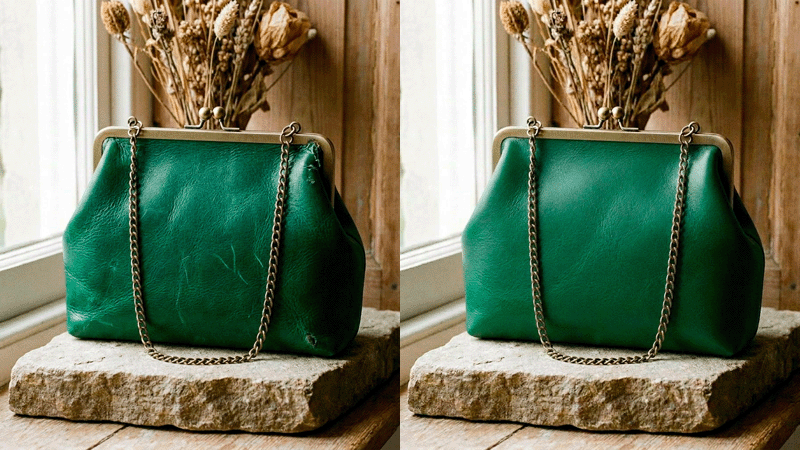
Materialkonsistenz
Falls dein Produkt leichte Unregelmäßigkeiten im Material aufweist, kannst du diesen Prompt ausprobieren, um die Oberflächen zu vereinheitlichen und zu idealisieren, ohne die Originaldetails zu verändern.
Download
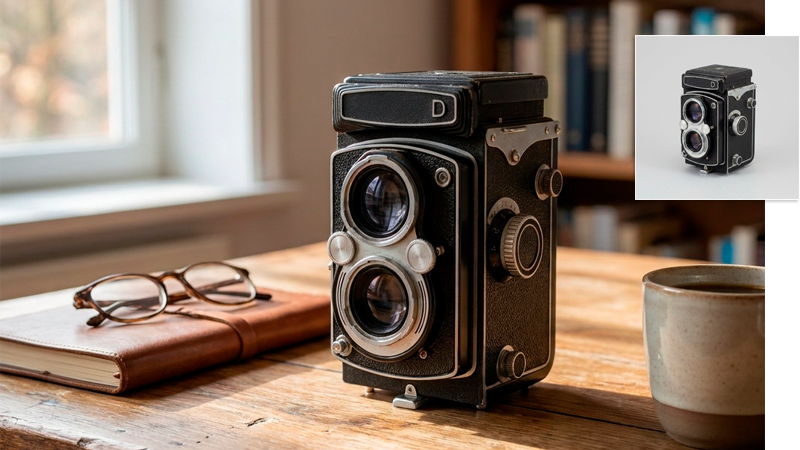
Kontextbezogene Produkt-Platzierung
Dieser Prompt zeigt dein Produkt in einem passenden Lifestyle-Kontext. Ändere die Umgebungsbeschreibung im Prompt, um das Ergebnis exakt deinen Vorstellungen anzupassen.
Download
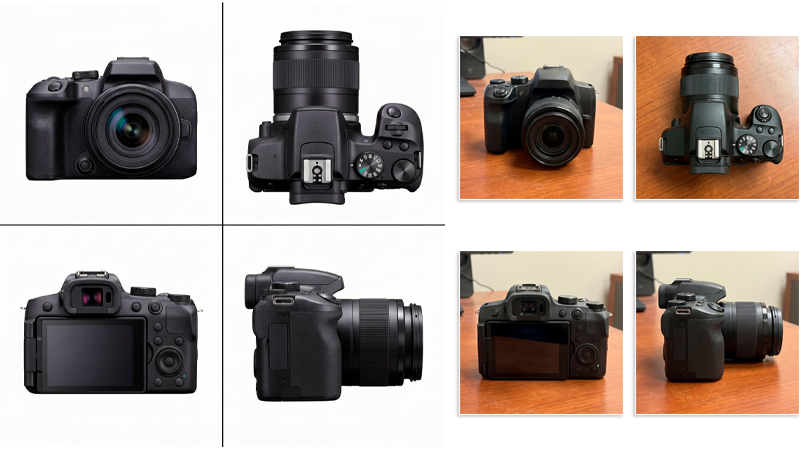
Mehrere Blickwinkel
Lade vier Referenzbilder und verwende diesen Prompt, um dein Produkt aus vier verschiedenen Perspektiven zu präsentieren. Der Prompt kümmert sich um das Freistellen, den Größenabgleich und die korrekte Anordnung. Bei weniger als vier Referenzfotos werden die fehlenden Ansichten generiert, was bei allgemein bekannten Objekten zufriedenstellend funktioniert.
Download
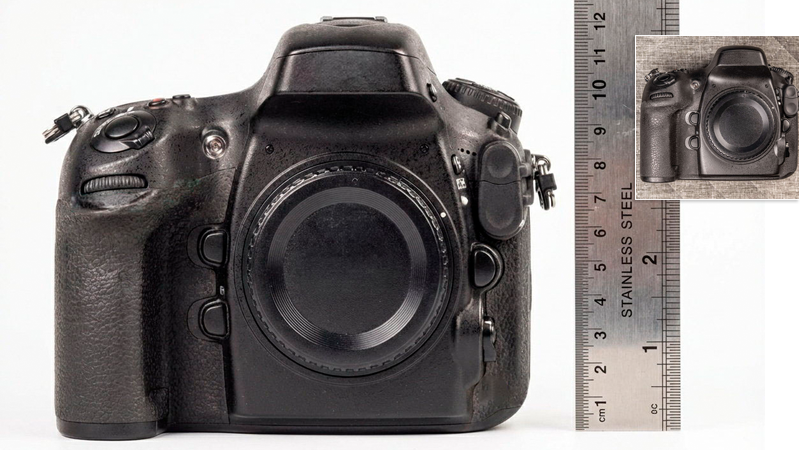
Produktmaßstab-Referenz
Dieser Prompt fügt automatisch eine Größenreferenz zu deinem Produkt hinzu, z. B. eine Euromünze, eine Kreditkarte oder ein Lineal. Du kannst den Prompt ändern, um ein anderes Referenzobjekt einzufügen.
Download
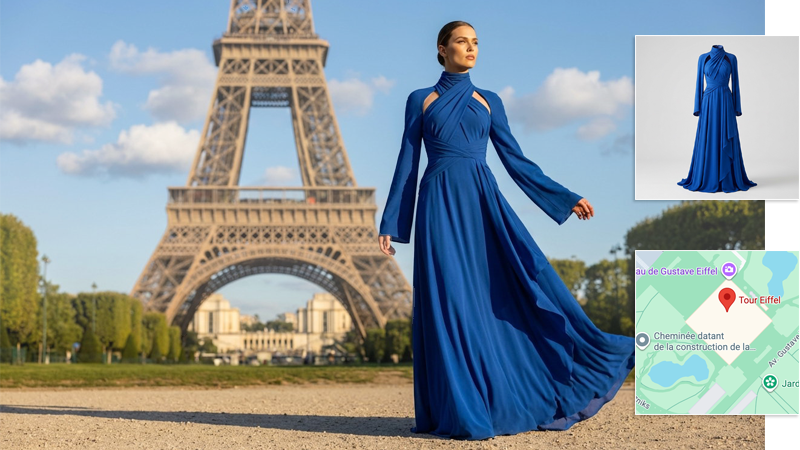
Modefotos mit Standortangabe
Für ein virtuelles Fotoshooting vor Ort fügst Du einfach die Geokoordinaten aus Google Maps in die Promptvorlage ein und verwendest ein eigenes Referenzbild für das zu präsentierende Kleidungsstück. Nano Banana kümmert sich um den Rest, sodass Du den Hintergrund nicht aufwendig beschreiben musst.
Download
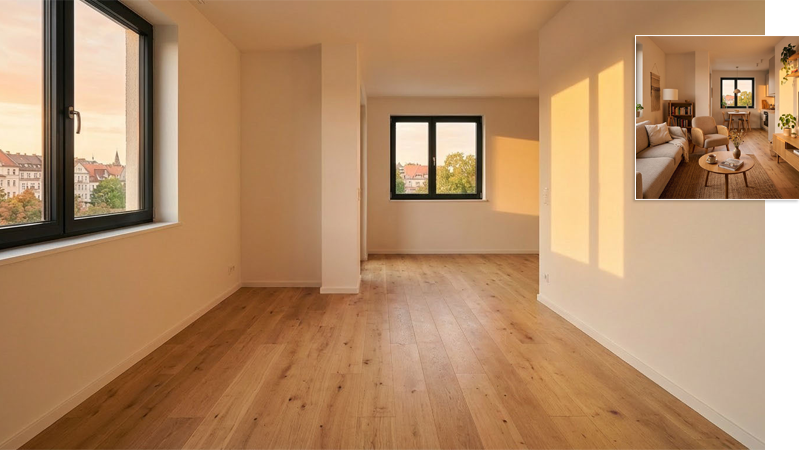
Immobilien-Inzenierung (Leerräumen)
Mit diesem Prompt kannst du Räume von Möbeln und Dekorationen befreien, ohne die Anordnung oder die Oberflächen von Wänden und Böden zu verändern. So hast du die perfekte Grundlage, um deine eigenen Einrichtungsideen zu verwirklichen.
Download
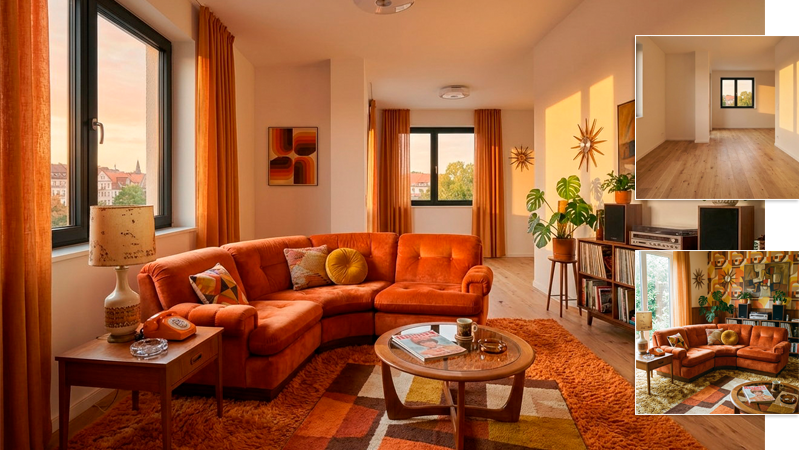
Immobilien-Inzenierung (Wohnung Einrichten)
Verwende diesen Prompt, um die leere Wohnung im ersten Referenzbild mit Möbeln aus einem oder mehreren Referenzbildern zu füllen.
Download
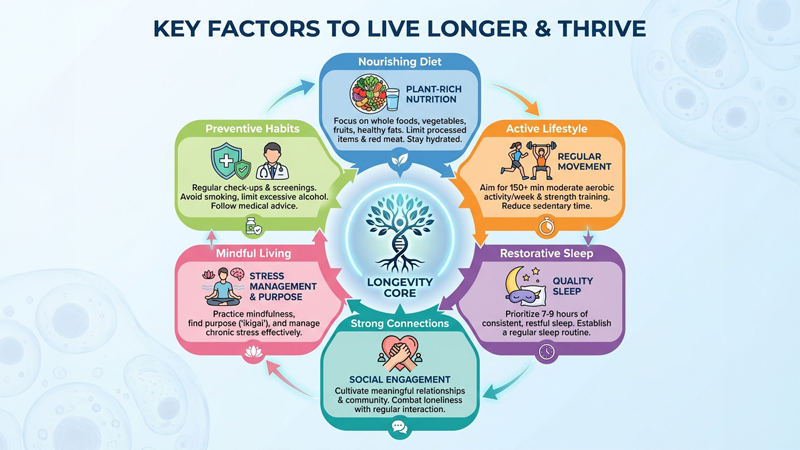
Automatische Info-Grafik
Dieser Prompt generiert automatisch eine moderne Info-Grafik zu einem Thema deiner Wahl, das du oben im Prompt angibst. Überlasse der KI die Recherche und Stilwahl, oder füge detailliertere Beschreibungen hinzu, um das Ergebnis zu beeinflussen.
Download
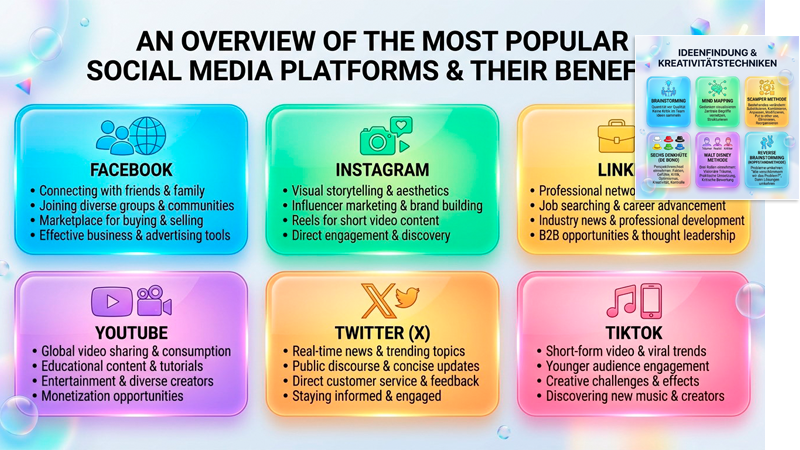
Info-Grafik mit Bildreferenzen
Dieser Prompt empfindet den Stil der als Referenz 1 angegebenen Infografik nach. Du kannst diese Referenz gerne austauschen und weitere Referenzbilder hinzufügen, wie etwa Inhalte, Logos, Symbole oder Gesichter, um die Genauigkeit der Ergebnisse an deine Wünsche anzupassen.
Download
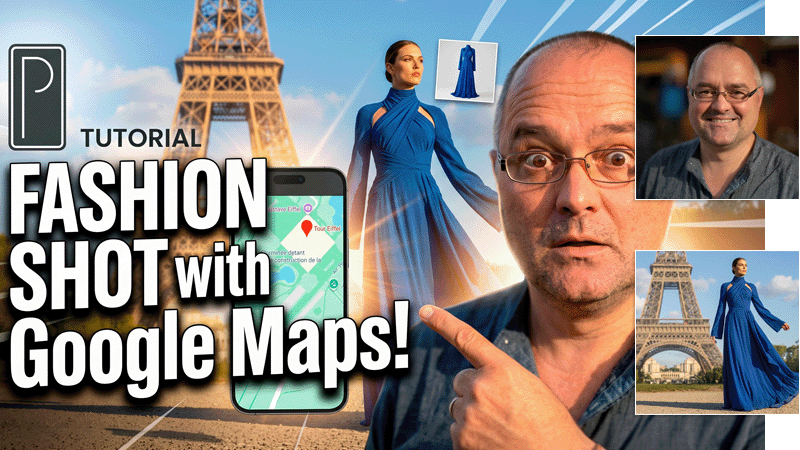
YouTube-Vorschaubild mit Porträt
Mit diesem Prompt generierst du ein auffälliges Vorschaubild für YouTube. Dabei kannst du drei Referenzbilder verwenden: dein Porträt, dein (Firmen-) Logo und ein Hintergrundbild. Ändere den Prompt, falls das zunächst zufällige Ergebnis nicht deinen Vorstellungen entspricht.
Download
Software für:


inkl. MwSt.