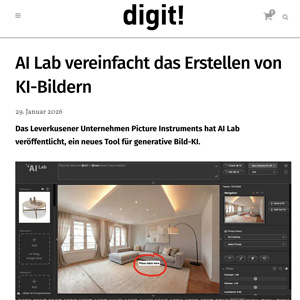
AI Lab UXP is a UXP Plugin that requires Photoshop version 25.2 or later. You can install and manage the plugin directly in Creative Cloud Marketplace or download the CCX file directly from this website and install it via double-click. All AI Lab subscriptions allow you to use both the Standalone Version and the Photoshop UXP Plugin.
More AI Models and Precise Image Editing Right Inside Photoshop
Photoshop’s Generative Fill supports Nano Banana and FLUX. AI Lab adds GPT Image, Seedream and FLUX.3 to your Photoshop workflow. You also get output resolutions up to 4K (depending on the model), results that fit your selection without stretching, up to two reference images and transparent token costs. The Prompt Assistant and Visual Inspiration Tool help you get to the result you want faster.
GPT Image 1.5, 2 and 2.5 (Fast/Standard/Complex, up to 2.8K)
FLUX 1, 2 and 3 (up to 4K)
Seedream 4 and 4.5 (up to 4K); Seedream 5.0 Pro/Flash (up to 2K)
What AI Lab Does Better in Photoshop
Broader model selection: GPT Image, Seedream and FLUX.3 in addition to the partner models in Photoshop’s Generative Fill.
Output up to 4K: High-resolution results with models that support 4K.
Clean selection results: Output matches the selection's aspect ratio, without stretching.
Create & Edit:
Create = Prompt → Image (optionally with up to 2 reference images)
Edit = Image + Prompt → Image (your current main image and optional references are sent for editing)
Up to 2 reference images directly inside the plugin.
Prompt History right inside the plugin.
Prompt Assistant and System Prompts
Create new prompts or refine existing ones directly in Photoshop. The Prompt Assistant offers Chat GPT 4.1, Chat GPT 6 Astra, Chat GPT 6 Luna, Chat GPT 6.1 Sol, and Claude Opus 4.8 Standard and Extended.
Save recurring instructions as system prompts, such as image styles or brand guidelines. You can use them both in the Prompt Assistant and during image generation.
Visual Inspiration Tool
Find image ideas through visual similarity search. Use two sliders to control variation and whether results match the subject or the color mood more closely. You can use an image you find as a reference or load the prompt used to generate it.
More Tools for Your Workflow
Hide unused models: Disable models you do not need to keep the selection manageable.
Provider terms: Links to each AI provider's terms are available in the model settings.
Optional AI watermarks: Choose a corner, size and spacing, then add a watermark directly to your image in Photoshop.
Smart Resolution Indicator
AI generation takes time and tokens, especially if your selection does not match the model's resolution. AI Lab shows an indicator before you generate:
Output too large → you waste time and/or tokens
Output too small → results get blurry
If the indicator turns orange, you know what to do: adjust the model or the selection before generating.
Cost Control
Fixed monthly plans, no variable surprises
Token counter right inside the plugin
No third-party API key required
One Subscription, Two Tools:
The same tokens work in both the Standalone workspace and the Photoshop UXP plugin.
Starter
$16*
-25%
Black Friday Sale
$12*
700 PI Tokens (up to 700 generations**)
Token Rollover***
Nano Banana
Nano Banana Pro 1K-4K
Nano Banana 2 1K-4K
GPT Image 1.5
GPT Image 2 1K-2.8K
FLUX.2 Pro 1K-2K
FLUX.2 Flex 2K
Seedream 4K
Pro
$32*
-25%
Black Friday Sale
$24*
1600 PI Tokens (up to 1600 generations**)
Token Rollover***
Nano Banana
Nano Banana Pro 1K-4K
Nano Banana 2 1K-4K
GPT Image 1.5
GPT Image 2 1K-2.8K
FLUX.2 Pro 1K-2K
FLUX.2 Flex 2K
Seedream 4K
Studio
$60*
-25%
Black Friday Sale
$45*
3200 PI Tokens (up to 3200 generations**)
Token Rollover***
Nano Banana
Nano Banana Pro 1K-4K
Nano Banana 2 1K-4K
GPT Image 1.5
GPT Image 2 1K-2.8K
FLUX.2 Pro 1K-2K
FLUX.2 Flex 2K
Seedream 4K
*
Monthly prices + VAT if applicable (can be cancelled monthly) **Nano Banana: 4 Tokens, Nano Banana Pro: 14-24 Tokens, Nano Banana 2: 7-15 Tokens, GPT Image 1.5: ab 2 Tokens, GPT Image 2: from 1 Token, Seedream: 3-4 Tokens, Flux 1K: from 3 Tokens, Flux 2K: from 12 Tokens. ***Unused tokens roll over to the next month as long as the subscription remains active. You can accumulate up to 6 times your monthly tokens.
AI Lab UXP is a UXP Plugin that requires Photoshop version 25.2 or later. You can install and manage the plugin directly in Creative Cloud Marketplace or download the CCX file directly from this website and install it via double-click. All AI Lab subscriptions allow you to use both the Standalone Version and the Photoshop UXP Plugin.